
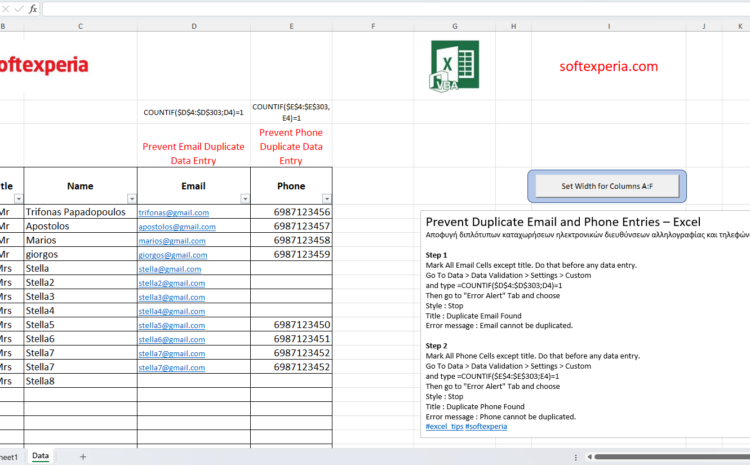
How to prevent Duplicate Email and Phone Entries in Excel
Αποφυγή διπλότυπων καταχωρήσεων ηλεκτρονικών διευθύνσεων αλληλογραφίας και τηλεφώνων
Step 1
Mark All Email Cells except title. Do that before any data entry.
Go To Data > Data Validation > Settings > Custom
and type =COUNTIF($D$4:$D$303;D4)=1
Then go to “Error Alert” Tab and choose
Style : Stop
Title : Duplicate Email Found
Error message : Email cannot be duplicated.
Step 2
Mark All Phone Cells except title. Do that before any data entry.
Go To Data > Data Validation > Settings > Custom
and type =COUNTIF($E$4:$E$303;E4)=1
Then go to “Error Alert” Tab and choose
Style : Stop
Title : Duplicate Phone Found
Error message : Phone cannot be duplicated.
YouTube link: https://youtu.be/7S3iAqiwhHs
Filename: form_VBA_2_prevent_duplicates_2.xlsb