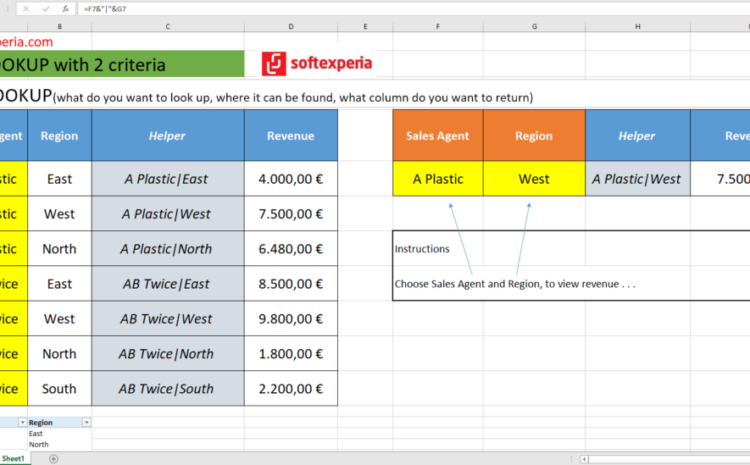
February 3, 2023 ALL, BUSINESS, MICROSOFT EXCEL TIPS 0 VLOOKUP with 2 criteria (Sales Agent and Region) – Excel https://mindstorm.gr/wp-content/uploads/2023/02/vlookup_with_2_criteria_softexperia.mp4 Formula for column I7 (Revenue) =VLOOKUP(H7;C7:D13;2;FALSE) Formula for column C7 (Helper) =A7&”|”&B7 Formula for column H7 (Helper) =F7&”|”&G7