
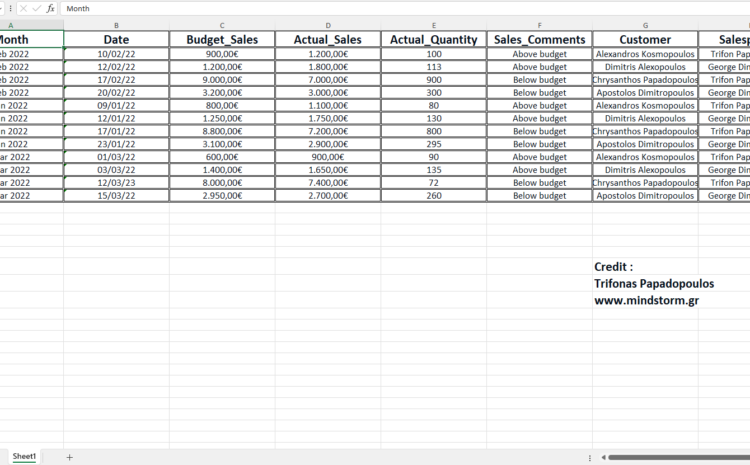
Scenario for using Python and Excel
Request 1
Take the following 3 excel files:
sales_jan_2022.xlsx
sales_feb_2022.xlsx
sales_mar_2022.xlsx
and create a new excel: sales.xlsx and a new csv file: sales.csv with all the records from these 3 excel files.
Request 2
Take the following 3 excel files:
sales_jan_2022.xlsx
sales_feb_2022.xlsx
sales_mar_2022.xlsx
and create a new excel: total_sales.xlsx and a new csv file: total_sales.csv with total of Actual_Quantity for each month.
Request 3
Take the following 3 excel files:
sales_jan_2022.xlsx
sales_feb_2022.xlsx
sales_mar_2022.xlsx
and create a new excel: total_sales_by_salesperson.xlsx and a new csv file: total_sales_by_salesperson.csv with total of Actual_Sales per month for each salesperson.
Request 1, 2 and 3 are completed with python script: main.py. See it in action . . . (watch the video below)
Request 4
Take the following excel files:
sales.xlsx
total_sales_by_salesperson.xlsx
and change the styling so it is easier to read them.
Request 4 is completed with python script: excel_stylesheet.py. See it in action . . . (watch the video below)
Download the files for this scenario . . .
main.docx (rename it to main.py after download)
excel_stylesheet.docx (rename it to excel_stylesheet.py after download)
See also