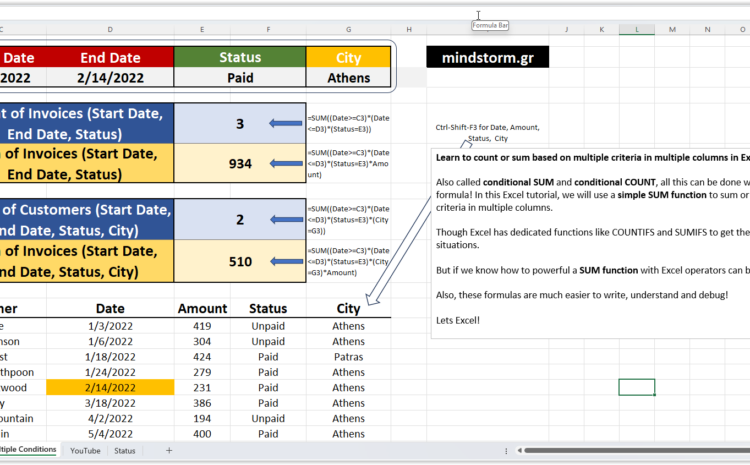
This table and explanation provide a breakdown of invoices and customers based on specific conditions like date range, status, and city. Here’s the detailed explanation: Input Conditions Start Date: January 3, 2022 End Date: February 14, 2022 Status: Paid City:…
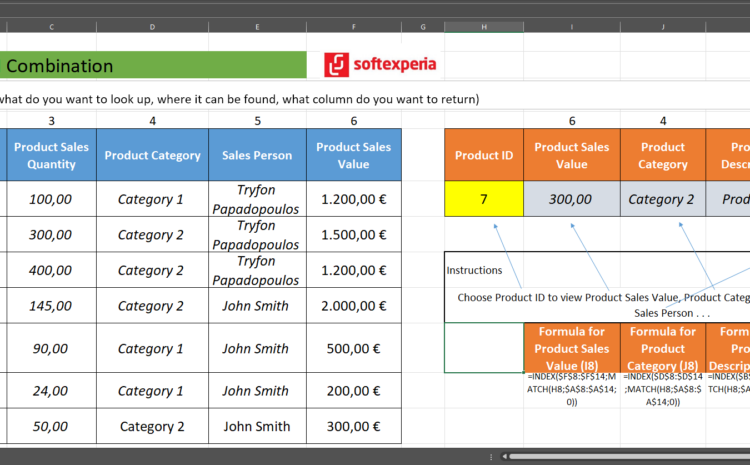
The table provided explains how to use INDEX and MATCH functions to retrieve specific values based on a selected Product ID. Here’s a breakdown of the setup: Table Layout Columns: Product ID, Product Sales Value, Product Category, Product Description, and…
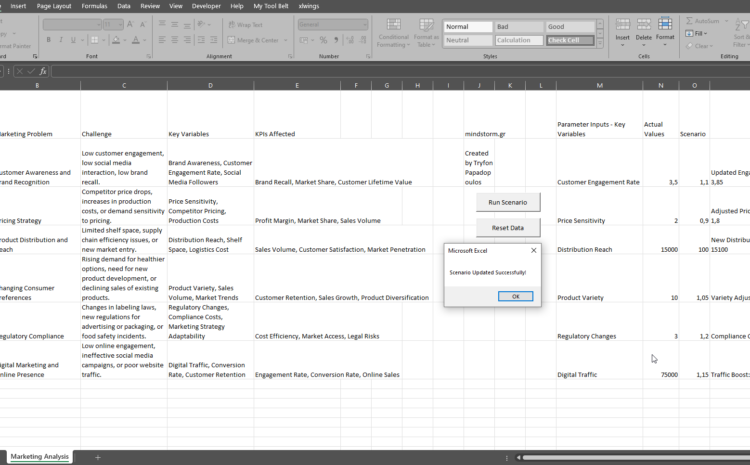
Common Marketing Problems in the Food Industry Customer Awareness and Brand Recognition: Many food brands struggle with building customer awareness and brand recognition, especially in highly competitive markets. Challenge: How to differentiate the brand and make it stand out among…
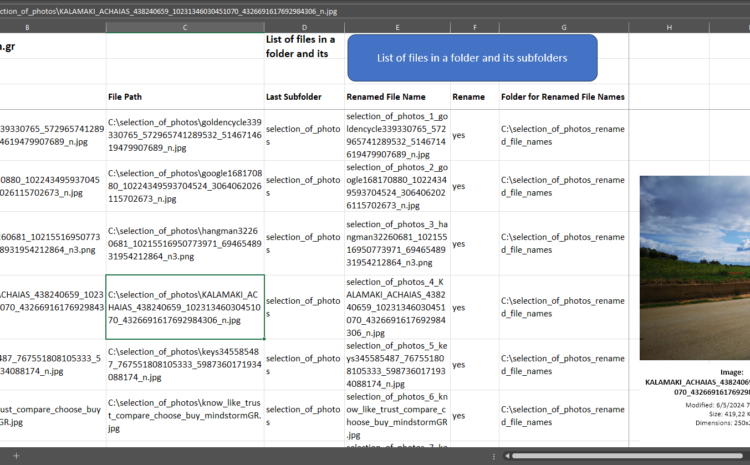
List of files in Excel and preview of images – VBA Code – Excel 1) Is it possible to have a list of the images found in a folder and its subfolders in Excel? 2) Is it possible to see…
Calculate the days of work between two dates with the NETWORKDAYS function Start Date: 15/5/2020 End Date: 28/1/2021 Holiday 1: 26/8/2020 Holiday 2: 18/11/2020 Holiday 3: 15/1/2021 Calculate the days between two dates with the NETWORKDAYS function excluding Holiday 1,…
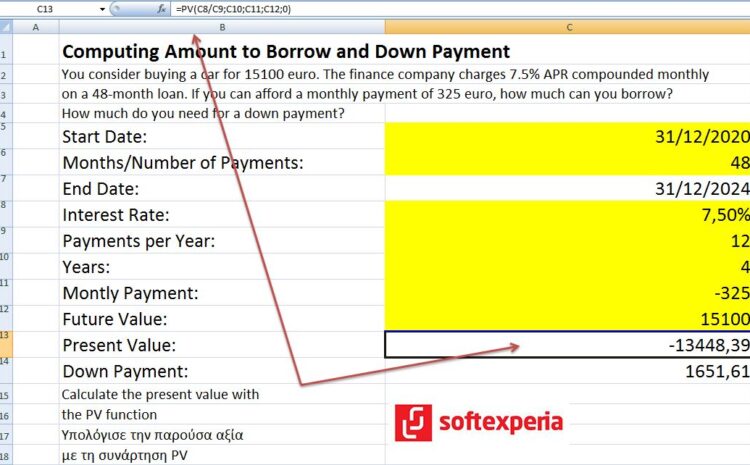
Χρηματοοικονομικά Computing Amount to Borrow and Down Payment – Υπολογισμός ποσού δανείου, ύψους δόσης και ποσού προκαταβολής #mindstormGR #softexperia
Formula for D11 =DATEDIF(B11;C11;”y”)& ” years/χρόνια” Formula for D12 =DATEDIF(B11;C11;”ym”)& ” months/μήνες” Formula for D13 =C11-DATE(YEAR(C11);MONTH(C11);1)& ” days/ημέρες”
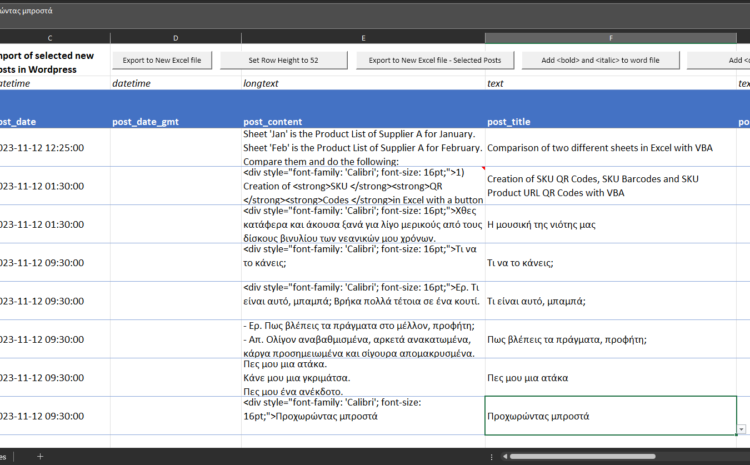
Steps to import multiple posts to WordPress with the use of Excel, Word and Ultimate CSV Importer Free Step 1 Find the content you would like to upload from your social media profile or anywhere else. Step 2 Use Microsoft…
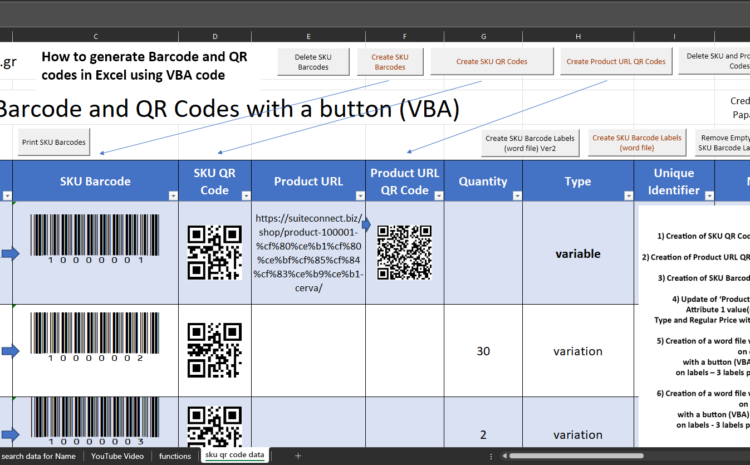
1) Creation of SKU QR Codes in Excel with a button (VBA) 2) Creation of Product URL QR Codes in Excel with a button (VBA) 3) Creation of SKU Barcodes in Excel with a button (VBA) 4) Update of ‘Product’…
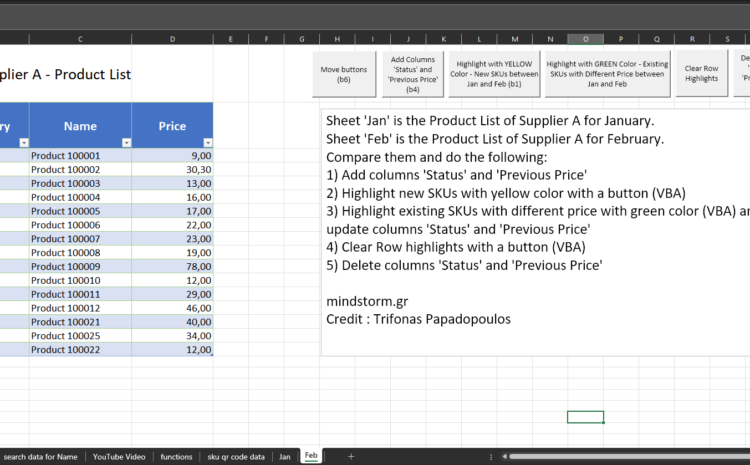
Sheet ‘Jan’ is the Product List of Supplier A for January. Sheet ‘Feb’ is the Product List of Supplier A for February. Compare them and do the following: 1) Add columns ‘Status’ and ‘Previous Price’ 2) Highlight new SKUs with…